

Introduction
Finding practical ways to organize your photos becomes important once family pictures start piling up across boxes, albums, phones, and computers. Without a clear system, both printed and digital memories quickly become hard to find or maintain. Busy households need a simple method that keeps photos accessible, protected, and easy to update over time. By combining structured sorting, safe storage, and digital backups, you can build a photo system that stays manageable long term. If you’re already working on decluttering your space, ideas from 21 Genius Clutter Busting Hacks to Organize Your Home can help support a smoother photo organization routine.
1- Gather Every Printed and Digital Photo in One Place
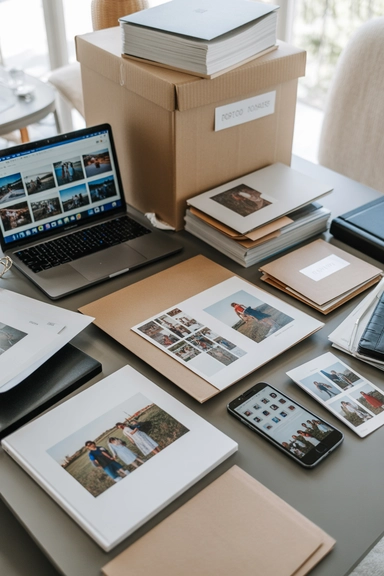
Start by pulling together every photo source in your home so you can see the full scope of your collection. This includes printed pictures, albums, envelopes, framed photos, memory boxes, camera rolls, cloud backups, and images saved on computers or external drives. Bringing everything into one workspace helps you avoid creating duplicate systems and makes it easier to decide how to organize photos by year, event, or category. A complete overview allows you to estimate storage needs and choose containers or digital folders that actually fit your collection.
Once everything is gathered, separate printed photos from digital files so you can tackle each group with the right method. Physical photos may need sorting, cleaning, or safe archival storage, while digital images require folder structures and backups. This first step creates clarity before any labeling or storage decisions begin. It also prevents you from organizing only part of the collection while the rest remains scattered in drawers or old devices, which often leads to confusion later when trying to locate specific family or travel photos.
2- Declutter Blurry, Duplicate, and Unnecessary Photos

Sorting through duplicates and low-quality images reduces storage bulk and makes the rest of the process faster. As you review printed photos, remove blurry shots, accidental duplicates, or pictures that no longer hold meaning. This step is especially useful when organizing old photos or decades of prints stored in boxes. Keeping only meaningful images ensures that storage containers, albums, and digital folders remain manageable instead of overflowing with unnecessary copies that make searching more difficult later.
Digital photo organization benefits from the same editing process. Go through your phone gallery and computer folders to delete screenshots, repeated images, or poor-quality photos. Creating a curated collection helps you build a system that stays organized over time rather than growing cluttered again. For busy families, maintaining a streamlined archive means less time spent searching for important moments like school photos, vacations, or celebrations. Decluttering early also helps you choose storage solutions based on realistic volume rather than the total number of images you started with.
3- Sort Photos Into Broad Categories First
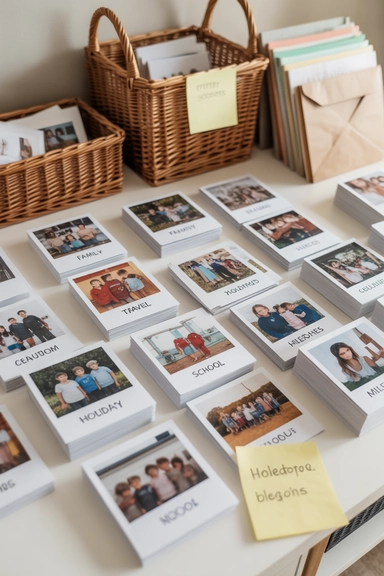
Before organizing photos by year or creating detailed folders, start with broad categories such as family events, holidays, travel, school years, and milestones. Grouping images into larger themes makes the process less overwhelming and helps you identify natural patterns within the collection. Printed photos can be sorted into labeled piles or bins, while digital images can be moved into main folders. This approach allows you to build a structure that reflects how you naturally search for memories rather than forcing an overly complicated system from the start.
Once broad categories are established, you can refine them into smaller subgroups like specific years, trips, or celebrations. This layered method works well for organizing family photos because it keeps everything flexible as you continue sorting. Busy households often add new photos regularly, so starting with broad categories ensures the system can expand without needing constant restructuring. It also allows multiple family members to understand and maintain the organization without confusion.
4- Organize Photos by Year and Timeline

Sorting photos by year creates a chronological structure that makes it easier to track memories and find specific events. After grouping images into categories, arrange them by year or decade within each group. For printed photos, use index cards or sticky labels to mark each year while sorting. Digital files can be renamed with consistent date formats so they automatically fall into order within folders. This method works especially well when organizing old photos or large family archives spanning many years.
A timeline-based system also helps when creating albums or scanning photos for digital storage. When everything follows a chronological order, it becomes easier to identify gaps, duplicates, or misplaced images. Families often prefer this structure because it mirrors how memories are remembered over time. It also simplifies future organization since new photos can be added directly into the correct year without re-sorting the entire collection. Over time, this creates a stable archive that grows without becoming chaotic.
5- Use Archival Storage Boxes for Printed Photos
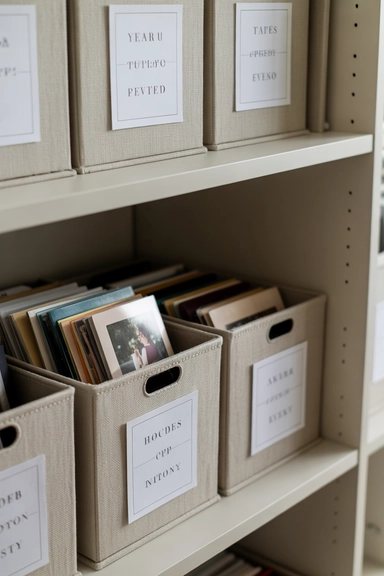
Archival photo boxes provide one of the safest ways to store printed pictures long term. Acid-free containers protect photos from moisture, dust, and light exposure, which can cause fading or deterioration over time. Choose boxes with dividers so you can separate photos by year, family member, or event. This type of storage works well for large collections that do not need to be displayed but still need to remain accessible. Placing labeled boxes on shelves or inside closets keeps everything organized without taking up visible space.
When storing printed photos, avoid overcrowding boxes or stacking images loosely. Use envelopes or photo sleeves inside the box to maintain structure and prevent bending. Busy families benefit from having clearly labeled archival containers because they can quickly locate specific memories without opening multiple boxes. This method also keeps photos safe during moves or seasonal storage changes. With proper labeling and grouping, archival storage becomes a long-term solution rather than a temporary fix for photo clutter.
6- Create a Simple Home for Loose Everyday Prints
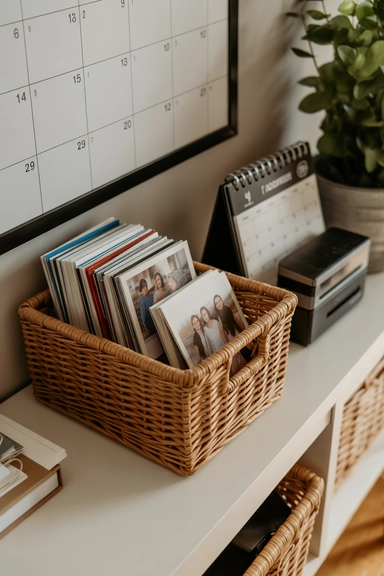
Loose prints often accumulate in envelopes, drawers, or shopping bags after events, school activities, or quick photo runs. Instead of letting them scatter, assign one dedicated container for incoming prints. A shallow storage box or labeled basket placed in a home office or living room cabinet works well for this purpose. This temporary holding spot prevents random piles from forming while you decide how to sort photos by year, event, or family category. It also gives you a consistent location to check when you want to update albums or storage boxes.
Once a month or every few months, move these loose prints into your main organizational system. Busy families benefit from this routine because it prevents backlog and keeps new photos from mixing with older ones without structure. If you maintain a scheduled sorting session, even small batches of photos stay manageable. Over time, this simple holding system ensures that everyday prints are always captured within your archive instead of becoming forgotten piles in drawers or closets.
7- Use Label Makers and Clear Category Labels
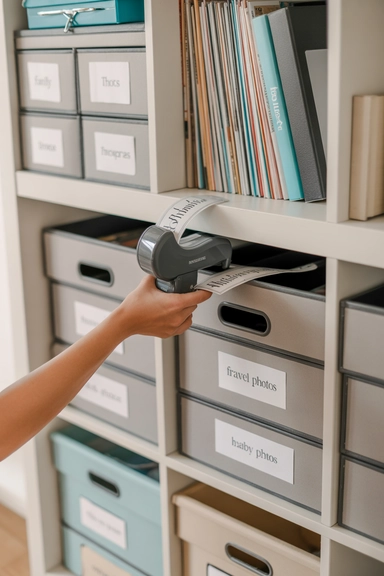
Clear labeling keeps both printed and digital photo collections usable long after the initial organization is complete. For physical storage, label boxes, binders, envelopes, and bins with consistent category names such as family events, travel, or specific years. A label maker creates readable, uniform labels that are easy to update as collections grow. When every container has a clear title, family members can quickly find photos without needing to open multiple boxes or flip through entire albums.
Digital organization benefits from similar labeling logic. Folder names should follow a predictable structure such as year-event-location or year-family-name. Consistency prevents confusion and makes searching easier across devices or backups. For busy households, labeled systems reduce the time spent locating images for school projects, holiday cards, or memory sharing. Clear labels also help maintain order when new photos are added regularly, ensuring that the entire collection remains accessible rather than becoming disorganized again over time.
8- Scan Important Printed Photos for Digital Backup
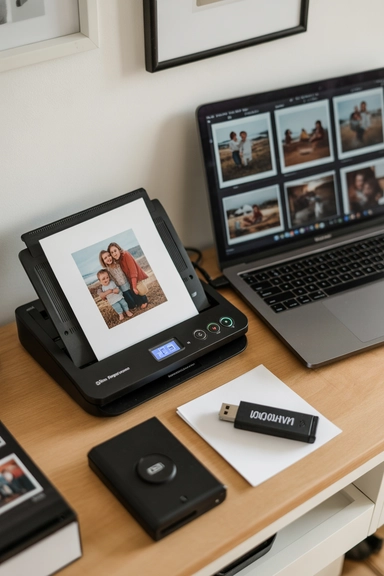
Scanning printed photos creates a digital backup that protects memories from physical damage or loss. Important images such as family portraits, baby photos, and travel highlights should be scanned at high resolution and saved in organized folders. This process allows you to store originals safely in archival boxes while still having easy access to digital copies for sharing or printing. For large collections, scanning in batches over time makes the task manageable without becoming overwhelming.
Once scanned, save digital files in clearly labeled folders and back them up in more than one location. External hard drives and cloud storage services provide extra protection against data loss. Busy families benefit from digital backups because they allow quick access to photos for school projects, slideshows, or gifts without handling delicate originals. Over time, scanning builds a searchable digital archive that complements physical storage and ensures memories remain preserved even if printed copies fade or become damaged.
9- Build a Logical Digital Folder Structure

A clear folder structure on your computer or cloud storage prevents digital photos from becoming just as scattered as printed ones. Start with main folders labeled by year, then create subfolders for events, vacations, or milestones within each year. This method keeps digital photo organization simple and predictable. When new photos are uploaded from phones or cameras, they can be placed directly into the correct year and event folder without needing to reorganize everything later.
Consistent file naming also helps maintain order. Rename files with dates and short descriptions so they remain searchable across devices. For families managing photos from multiple phones or cameras, a shared cloud folder allows everyone to upload images into the same structure. This prevents duplicates and keeps memories centralized instead of spread across personal devices. Over time, a logical digital system becomes easier to maintain than trying to sort thousands of unsorted images all at once.
10- Back Up Digital Photos in Multiple Locations

Backing up digital photos protects against accidental deletion, device failure, or data corruption. Store copies of your photo archive on an external hard drive and in a secure cloud service to ensure that images remain safe even if one storage method fails. This layered backup system is especially important for family photo collections that cannot be replaced. Regular backups keep your digital organization intact and prevent the stress of losing important memories stored on a single device.
Busy households often take photos on multiple phones and cameras, so scheduling regular backup sessions helps maintain consistency. Choose a monthly or quarterly routine to transfer new photos into your main storage system and confirm they are saved in all backup locations. Over time, this habit ensures that your digital archive remains complete and accessible. A reliable backup plan turns digital photo organization into a secure, long-term system rather than a temporary arrangement.
11- Use Photo Albums for Milestones and Yearly Highlights

Photo albums provide a structured way to preserve important memories without keeping every image loose. Create albums for specific years, family milestones, or major events such as vacations and celebrations. This method works well when organizing family photos because it keeps meaningful moments together in one place. Choose albums with photo-safe sleeves that prevent bending or fading, and label each album clearly with dates or categories. Albums can be stored on shelves or inside cabinets, making them easy to access without digging through storage boxes.
For busy families, keeping one album per year or per major life stage keeps the process manageable. Instead of trying to organize decades at once, update albums gradually as new photos are printed or scanned. This approach also makes it easier for children and relatives to flip through memories without handling delicate loose prints. Over time, albums become a reliable visual timeline that complements your archival storage boxes and digital backups.
12- Designate a Drawer for Active Photo Projects
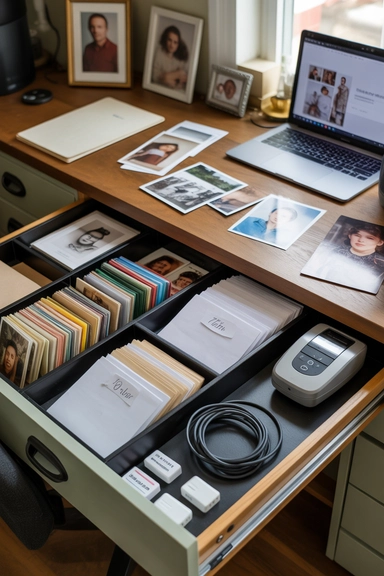
A dedicated drawer in a home office or living room cabinet can hold photos that are currently being sorted, scanned, or added to albums. This prevents in-progress piles from spreading across tables and countertops. Use drawer dividers or small containers to separate photos by category or year while you work. Having a designated space ensures that partially organized photos remain contained and easy to return to later without losing track of where you left off.
This system works well for families who organize photos in stages rather than completing the entire process at once. You can return to the drawer whenever you have time to sort, label, or scan new images. Keeping everything in one controlled space prevents unfinished projects from becoming clutter. Over time, this small organizational habit helps maintain momentum and ensures that your photo collection continues to move toward a fully organized system.
13- Create a Rotating Display for Favorite Photos
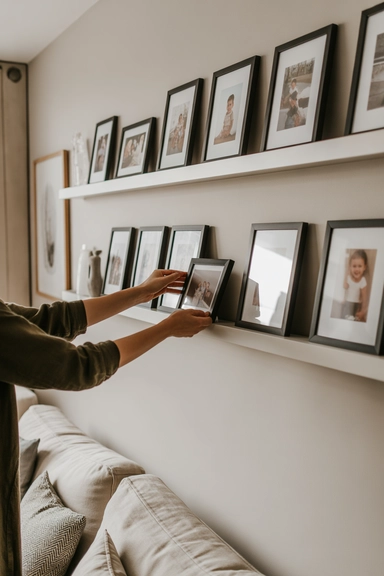
Displaying favorite photos keeps memories visible without storing everything out of sight. Create a rotating display area using frames, photo ledges, or a small gallery wall. Choose a limited number of images and update them seasonally or yearly. This allows you to enjoy your collection without overwhelming walls or shelves. Rotating displays also encourage you to revisit your organized photos and select new favorites regularly.
For busy households, a simple display system keeps the home personal without requiring constant rearranging. Store extra prints in labeled boxes or albums so you can easily swap them into frames. This method combines storage and decor, ensuring photos remain part of daily life rather than hidden away. A rotating display also helps preserve printed photos because they are handled less frequently and remain protected when not in use.
14- Use Binders With Sleeves for Easy Access
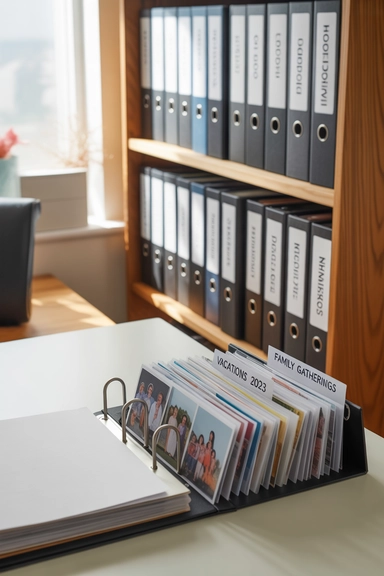
Binders with photo-safe sleeves provide a flexible storage option for families who prefer flipping through pages rather than opening boxes. Organize binders by year, event, or family member and label the spine for quick identification. Sleeves keep photos flat and protected while allowing easy viewing. This system works well for school photos, travel prints, or themed collections that benefit from being grouped together in a portable format.
Binders can be stored upright on shelves like books, making them easy to access without taking up much space. They are also simple to update as new photos are added. For busy families, binders provide a balance between albums and storage boxes, offering protection while still allowing quick browsing. Over time, they become a convenient way to maintain an organized archive that can be expanded without reorganizing the entire collection.
15- Organize Baby and Childhood Photos Separately
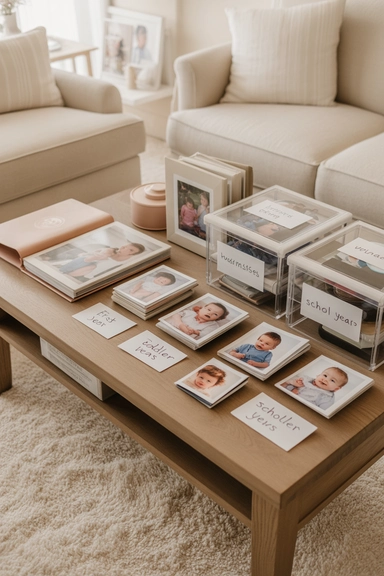
Baby and childhood photos often accumulate quickly and benefit from their own dedicated system. Create labeled boxes, albums, or digital folders for each child so their milestones remain easy to find. Sorting by age or year helps maintain a clear timeline of growth and events. This approach prevents childhood photos from becoming mixed with general family pictures, which can make searching for specific memories more difficult later.
Digital organization can mirror the same structure by creating folders for each child and adding subfolders for school years, birthdays, and activities. Busy families appreciate having these photos organized separately because they are frequently used for school projects, gifts, or memory sharing. Over time, maintaining a dedicated system for childhood photos keeps them accessible while allowing the main family archive to remain streamlined and easy to manage.
16- Sort Travel Photos by Trip and Destination
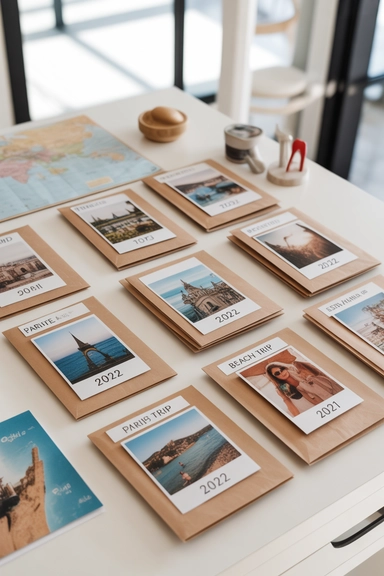
Travel photos tend to accumulate in large batches and can quickly become difficult to locate without a clear system. Organize these images by trip name, destination, or year so they remain easy to revisit. Printed travel photos can be grouped into labeled envelopes or album sections, while digital versions should be placed into folders named with dates and locations. This structure allows you to relive trips without sorting through unrelated images and keeps vacation memories grouped in a meaningful way.
For families who travel frequently, maintaining one folder or album per trip prevents overlap and confusion. Add small notes, ticket stubs, or maps to printed collections to give context to the photos. Digital files can include short descriptions in the file name for easier searching later. Keeping travel photos organized separately also makes it easier to create photo books or slideshows after each trip, ensuring that memories stay accessible rather than buried in a large unsorted archive.
17- Create Wedding and Event Photo Collections
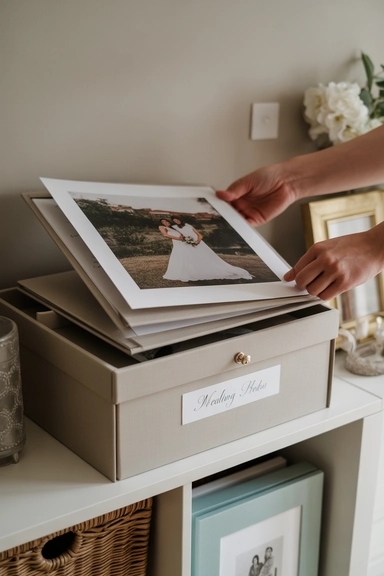
Wedding photos and major celebrations deserve their own dedicated storage system because they are often referenced and shared. Store printed copies in high-quality albums or archival boxes labeled with the event name and date. Digital versions should be saved in clearly named folders with backups stored in multiple locations. Keeping these photos separate from everyday images ensures they remain easy to find when needed for anniversaries, gifts, or family sharing.
Large events often produce hundreds of images, so sorting them into highlights and full collections helps maintain clarity. Create a smaller album or folder with favorite images while storing the full set in a labeled container or digital archive. This method keeps important moments accessible without requiring you to sort through hundreds of photos each time. Over time, maintaining event-specific collections helps preserve special memories in an organized and accessible format.
18- Use Keepsake Boxes for Sentimental Items
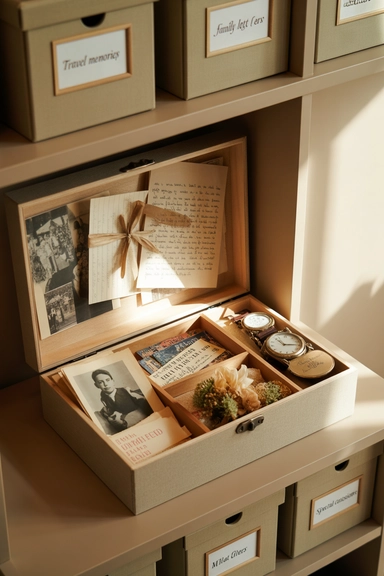
Keepsake boxes allow you to store photos alongside related memorabilia such as letters, postcards, or small souvenirs. This method works well for preserving memories tied to specific life stages or family members. Choose sturdy boxes with dividers so photos remain protected while still grouped with meaningful items. Label each box clearly to indicate the time period or category it contains, making it easier to locate when you want to revisit certain memories.
This system is especially useful for sentimental photos that do not need to be accessed regularly but still require safe storage. By grouping photos with related items, you create a more meaningful archive that reflects family history. Busy families benefit from having designated keepsake boxes because they prevent sentimental items from being scattered throughout the home. Over time, these boxes become curated collections that preserve memories without creating clutter.
19- Set a Monthly Photo Organization Routine
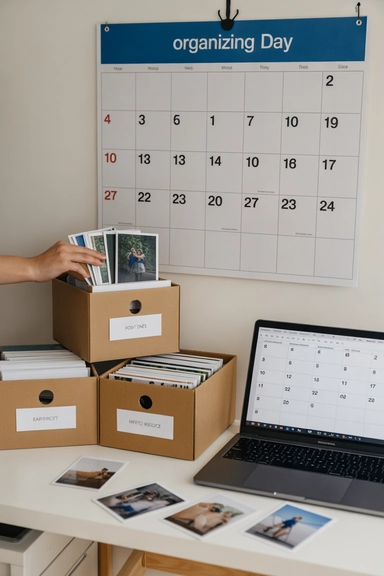
A consistent routine keeps your photo collection from becoming overwhelming again. Set aside time each month to sort new prints, upload digital photos, and update storage systems. Even a short session can prevent backlog and maintain order. During this time, move new images into labeled folders, scan important prints, and check that backups are current. Regular maintenance keeps your system functional without requiring large, time-consuming reorganizing sessions.
Busy families often find it easier to maintain organization through small, consistent steps rather than large projects. A monthly routine ensures that new photos are quickly integrated into your existing structure. It also allows you to review storage supplies and make adjustments as collections grow. Over time, this habit keeps your photo archive manageable and prevents the need for major decluttering projects in the future.
20- Store Photos in Cool, Dry, and Dark Spaces
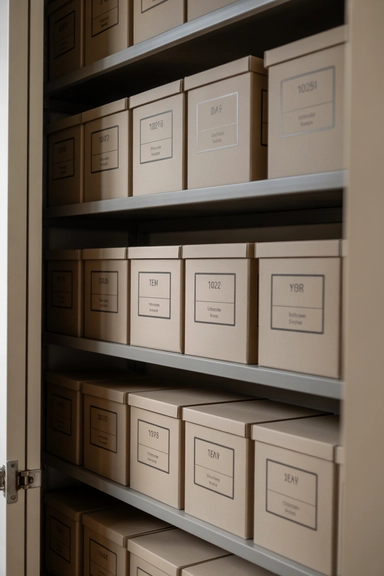
Proper storage conditions help preserve printed photos for many years. Keep storage boxes, albums, and binders in areas that are cool, dry, and away from direct sunlight. Excess heat, humidity, or light can cause fading, warping, or deterioration. Closets, cabinets, or shelves inside climate-controlled rooms are ideal locations. Avoid storing photos in basements, attics, or garages where temperature changes and moisture can cause damage.
When storing photos long term, choose containers designed for preservation rather than temporary storage. Archival boxes and sleeves provide extra protection against environmental factors. Busy households benefit from selecting one consistent storage location so photos remain easy to locate and maintain. By protecting your collection from environmental damage, you ensure that organized photos remain in good condition and accessible for future generations.
21- Create a Digital Sharing Folder for Family Access

Sharing photos with family members becomes easier when you maintain a shared digital folder. Upload selected images into a cloud-based folder that relatives can access from their devices. Organize this folder by year or event so everyone can find and download photos without searching through personal archives. This system keeps your main collection intact while still allowing easy sharing of important memories.
A shared digital space also prevents multiple family members from storing separate, disorganized copies of the same photos. Instead, everyone can access a single organized source. Busy families benefit from this approach because it reduces repeated requests for photos and keeps everyone connected to shared memories. Over time, maintaining a shared folder ensures that important images remain accessible even if devices change or personal storage systems are updated.
22- Keep a Dedicated Box for Incoming Photos
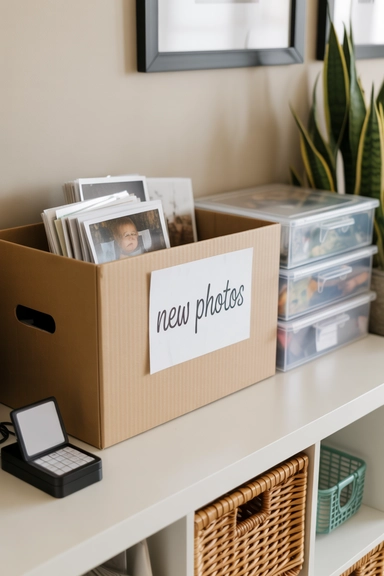
New prints and recently scanned images need a temporary home before they are fully organized. Keep a labeled box or tray where new photos can be placed as they arrive. This prevents them from getting lost or mixed with already sorted collections. Once the box fills up, schedule a sorting session to move everything into its proper storage location or digital folder. This step keeps new photos from disrupting your existing system.
For busy families, having a single drop zone for incoming photos simplifies maintenance. It prevents clutter from building up in multiple rooms and ensures that all new images eventually make their way into the organized archive. Over time, this simple habit keeps your collection current and prevents small piles from turning into large, time-consuming projects.
23- Combine Storage, Display, and Digital Systems
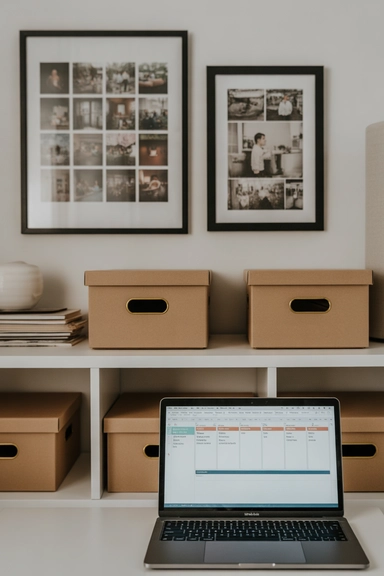
The most effective way to organize photos is by combining physical storage, digital backups, and display options. Use archival boxes for long-term storage, albums or binders for easy browsing, and digital folders for quick access and sharing. A balanced system allows you to protect original prints while still enjoying them in everyday life. This layered approach ensures that no single storage method carries the entire responsibility for preserving memories.
Busy families benefit from having multiple ways to access their photos without compromising organization. Display a few favorites, store the rest safely, and maintain digital copies for convenience. Over time, this combination creates a reliable archive that grows without becoming disorganized. By maintaining all three elements together, you ensure that your photo collection remains protected, accessible, and meaningful for years to come.
Conclusion
Organizing a growing photo collection becomes manageable when you build a system that combines sorting, safe storage, and reliable digital backups. By grouping photos into clear categories, labeling containers and folders, and maintaining a simple routine for new images, busy families can keep both printed and digital memories easy to access. Over time, consistent organization prevents clutter from returning and ensures important moments remain protected. Whether you prefer albums, archival boxes, or digital folders, the key is maintaining a structure that can expand with new photos while keeping everything searchable, safe, and ready to revisit whenever you want.